Butterfly外挂语法(2)

时间轴 timeline

1
2
3
4
5
6
7
8
{% timeline 时间线标题(可选)[,color] %}
<!-- timeline 时间节点(标题) -->
正文内容
<!-- endtimeline -->
<!-- timeline 时间节点(标题) -->
正文内容
<!-- endtimeline -->
{% endtimeline %}
  1. title:标题/时间线
  2. color:timeline颜色:default(留空) / blue / pink / red / purple / orange / green
1
2
3
4
5
6
7
8
9
10
11
12
13
14
15
16
17
18
19
20
21
22
23
24
25
26
27
{% timeline 时间轴样式,blue %}

<!-- timeline 2020-07-24 [2.6.6 -> 3.0](https://github.com/volantis-x/hexo-theme-volantis/releases) -->

1. 如果有 `hexo-lazyload-image` 插件,需要删除并重新安装最新版本,设置 `lazyload.isSPA: true`
2. 2.x 版本的 css 和 js 不适用于 3.x 版本,如果使用了 `use_cdn: true` 则需要删除。
3. 2.x 版本的 fancybox 标签在 3.x 版本中被重命名为 gallery 。
4. 2.x 版本的置顶 `top: true` 改为了 `pin: true`,并且同样适用于 `layout: page` 的页面。
5. 如果使用了 `hexo-offline` 插件,建议卸载,3.0 版本默认开启了 pjax 服务。

<!-- endtimeline -->

<!-- timeline 2020-05-15 [2.6.3 -> 2.6.6](https://github.com/volantis-x/hexo-theme-volantis/releases/tag/2.6.6) -->

不需要额外处理。

<!-- endtimeline -->

<!-- timeline 2020-04-20 [2.6.2 -> 2.6.3](https://github.com/volantis-x/hexo-theme-volantis/releases/tag/2.6.3) -->

1. 全局搜索 `seotitle` 并替换为 `seo_title`
2. group 组件的索引规则有变,使用 group 组件的文章内,`group: group_name` 对应的组件名必须是 `group_name`
2. group 组件的列表名优先显示文章的 `short_title` 其次是 `title`

<!-- endtimeline -->

{% endtimeline %}

时间轴样式

2020-07-24 2.6.6 -> 3.0

  1. 如果有 hexo-lazyload-image 插件,需要删除并重新安装最新版本,设置 lazyload.isSPA: true
  2. 2.x 版本的 css 和 js 不适用于 3.x 版本,如果使用了 use_cdn: true 则需要删除。
  3. 2.x 版本的 fancybox 标签在 3.x 版本中被重命名为 gallery 。
  4. 2.x 版本的置顶 top: true 改为了 pin: true,并且同样适用于 layout: page 的页面。
  5. 如果使用了 hexo-offline 插件,建议卸载,3.0 版本默认开启了 pjax 服务。

2020-05-15 2.6.3 -> 2.6.6

不需要额外处理。

2020-04-20 2.6.2 -> 2.6.3

  1. 全局搜索 seotitle 并替换为 seo_title
  2. group 组件的索引规则有变,使用 group 组件的文章内,group: group_name 对应的组件名必须是 group_name
  3. group 组件的列表名优先显示文章的 short_title 其次是 title
1
{% link 标题, 链接, 图片链接(可选) %}
1
{% link 糖果屋教程贴, https://akilar.top/posts/615e2dec/, https://cdn.cbd.int/akilar-candyassets@1.0.36/image/siteicon/favicon.ico %}

按钮 btns

1
2
3
4
{% btns 样式参数 %}
{% cell 标题, 链接, 图片或者图标 %}
{% endbtns %}
  1. 圆角样式:rounded, circle
  2. 增加文字样式:可以在容器内增加 <b>标题</b><p>描述文字</p>
  3. 布局方式:
    默认为自动宽度,适合视野内只有一两个的情况。
参数 含义
wide 宽一点的按钮
fill 填充布局,自动铺满至少一行,多了会换行
center 居中,按钮之间是固定间距
around 居中分散
grid2 等宽最多2列,屏幕变窄会适当减少列数
grid3 等宽最多3列,屏幕变窄会适当减少列数
grid4 等宽最多4列,屏幕变窄会适当减少列数
grid5 等宽最多5列,屏幕变窄会适当减少列数

1.如果需要显示类似「团队成员」之类的一组含有头像的链接

1
2
3
4
5
6
7
{% btns circle grid5 %}
{% cell xaoxuu, https://xaoxuu.com, https://cdn.jsdelivr.net/gh/xaoxuu/cdn-assets/avatar/avatar.png %}
{% endbtns %}

2.或者含有图标的按钮

1
2
3
4
{% btns rounded grid5 %}
{% cell 下载源码, /, fas fa-download %}
{% cell 查看文档, /, fas fa-book-open %}
{% endbtns %}

3.圆形图标 + 标题 + 描述 + 图片 + 网格5列 + 居中

1
2
3
4
5
6
7
8
9
10
11
12
13
14
{% btns circle center grid5 %}
<a href='https://apps.apple.com/cn/app/heart-mate-pro-hrm-utility/id1463348922?ls=1'>
<i class='fab fa-apple'></i>
<b>心率管家</b>
{% p red, 专业版 %}
<img src='https://cdn.jsdelivr.net/gh/fomalhaut1998/cdn-assets/qrcode/heartmate_pro.png'>
</a>
<a href='https://apps.apple.com/cn/app/heart-mate-lite-hrm-utility/id1475747930?ls=1'>
<i class='fab fa-apple'></i>
<b>心率管家</b>
{% p green, 免费版 %}
<img src='https://cdn.jsdelivr.net/gh/fomalhaut1998/cdn-assets/qrcode/heartmate_lite.png'>
</a>
{% endbtns %}

1.如果需要显示类似「团队成员」之类的一组含有头像的链接

2.或者含有图标的按钮

3.圆形图标 + 标题 + 描述 + 图片 + 网格5列 + 居中

github卡片ghcard

1
2
{% ghcard 用户名, 其它参数(可选) %}
{% ghcard 用户名/仓库, 其它参数(可选) %}

使用,分割各个参数。写法为:参数名=参数值
以下只写几个常用参数值。

参数名 取值 释义
hide stars,commits,prs,issues,contribs 隐藏指定统计
count_private true 将私人项目贡献添加到总提交计数中
show_icons true 显示图标
theme 查阅:Available Themes 主题

1.用户信息卡片

1
2
3
4
5
| {% ghcard fomalhaut1998 %} | {% ghcard fomalhaut1998, theme=vue %} |
| -- | -- |
| {% ghcard fomalhaut1998, theme=buefy %} | {% ghcard fomalhaut1998, theme=solarized-light %} |
| {% ghcard fomalhaut1998, theme=onedark %} | {% ghcard fomalhaut1998, theme=solarized-dark %} |
| {% ghcard fomalhaut1998, theme=algolia %} | {% ghcard fomalhaut1998, theme=calm %} |

2.仓库信息卡片

1
2
3
4
5
| {% ghcard volantis-x/hexo-theme-volantis %} | {% ghcard volantis-x/hexo-theme-volantis, theme=vue %} |
| -- | -- |
| {% ghcard volantis-x/hexo-theme-volantis, theme=buefy %} | {% ghcard volantis-x/hexo-theme-volantis, theme=solarized-light %} |
| {% ghcard volantis-x/hexo-theme-volantis, theme=onedark %} | {% ghcard volantis-x/hexo-theme-volantis, theme=solarized-dark %} |
| {% ghcard volantis-x/hexo-theme-volantis, theme=algolia %} | {% ghcard volantis-x/hexo-theme-volantis, theme=calm %} |

1.用户信息卡片

2.仓库信息卡片

github徽标 ghbdage

1
{% bdage [right],[left],[logo]||[color],[link],[title]||[option] %}
  1. left:徽标左边的信息,必选参数。
  2. right: 徽标右边的信息,必选参数,
  3. logo:徽标图标,图标名称详见simpleicons,可选参数。
  4. color:徽标右边的颜色,可选参数。
  5. link:指向的链接,可选参数。
  6. title:徽标的额外信息,可选参数。主要用于优化SEO,但object标签不会像a标签一样在鼠标悬停显示title信息。
  7. option:自定义参数,支持shields.io的全部API参数支持,具体参数可以参看上文中的拓展写法示例。形式为name1=value2&name2=value2

1.基本参数,定义徽标左右文字和图标

1
2
{% bdage Theme,Butterfly %}
{% bdage Frame,Hexo,hexo %}

2.信息参数,定义徽标右侧内容背景色,指向链接

1
2
3
{% bdage CDN,JsDelivr,jsDelivr||abcdef,https://metroui.org.ua/index.html,本站使用JsDelivr为静态资源提供CDN加速 %}
//如果是跨顺序省略可选参数,仍然需要写个逗号,用作分割
{% bdage Source,GitHub,GitHub||,https://github.com/ %}

3.拓展参数,支持shields的API的全部参数内容

1
2
3
{% bdage Hosted,Vercel,Vercel||brightgreen,https://vercel.com/,本站采用双线部署,默认线路托管于Vercel||style=social&logoWidth=20 %}
//如果是跨顺序省略可选参数组,仍然需要写双竖线||用作分割
{% bdage Hosted,Vercel,Vercel||||style=social&logoWidth=20&logoColor=violet %}

1.基本参数,定义徽标左右文字和图标

2.信息参数,定义徽标右侧内容背景色,指向链接

//如果是跨顺序省略可选参数,仍然需要写个逗号,用作分割

3.拓展参数,支持shields的API的全部参数内容

//如果是跨顺序省略可选参数组,仍然需要写双竖线||用作分割

网站卡片 sites

1
2
3
4
{% sitegroup %}
{% site 标题, url=链接, screenshot=截图链接, avatar=头像链接(可选), description=描述(可选) %}
{% endsitegroup %}
1
2
3
4
{% sitegroup %}
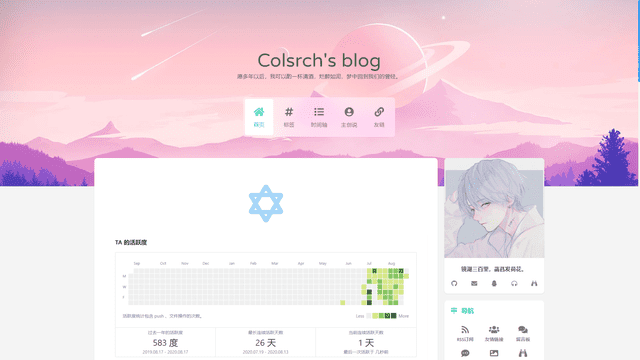
{% site Colsrch, url=https://colsrch.top, screenshot=https://i.loli.net/2020/08/22/dFRWXm52OVu8qfK.png, avatar=https://cdn.jsdelivr.net/gh/Colsrch/images/Colsrch/avatar.jpg, description=这是一段关于这个网站的描述文字 %}
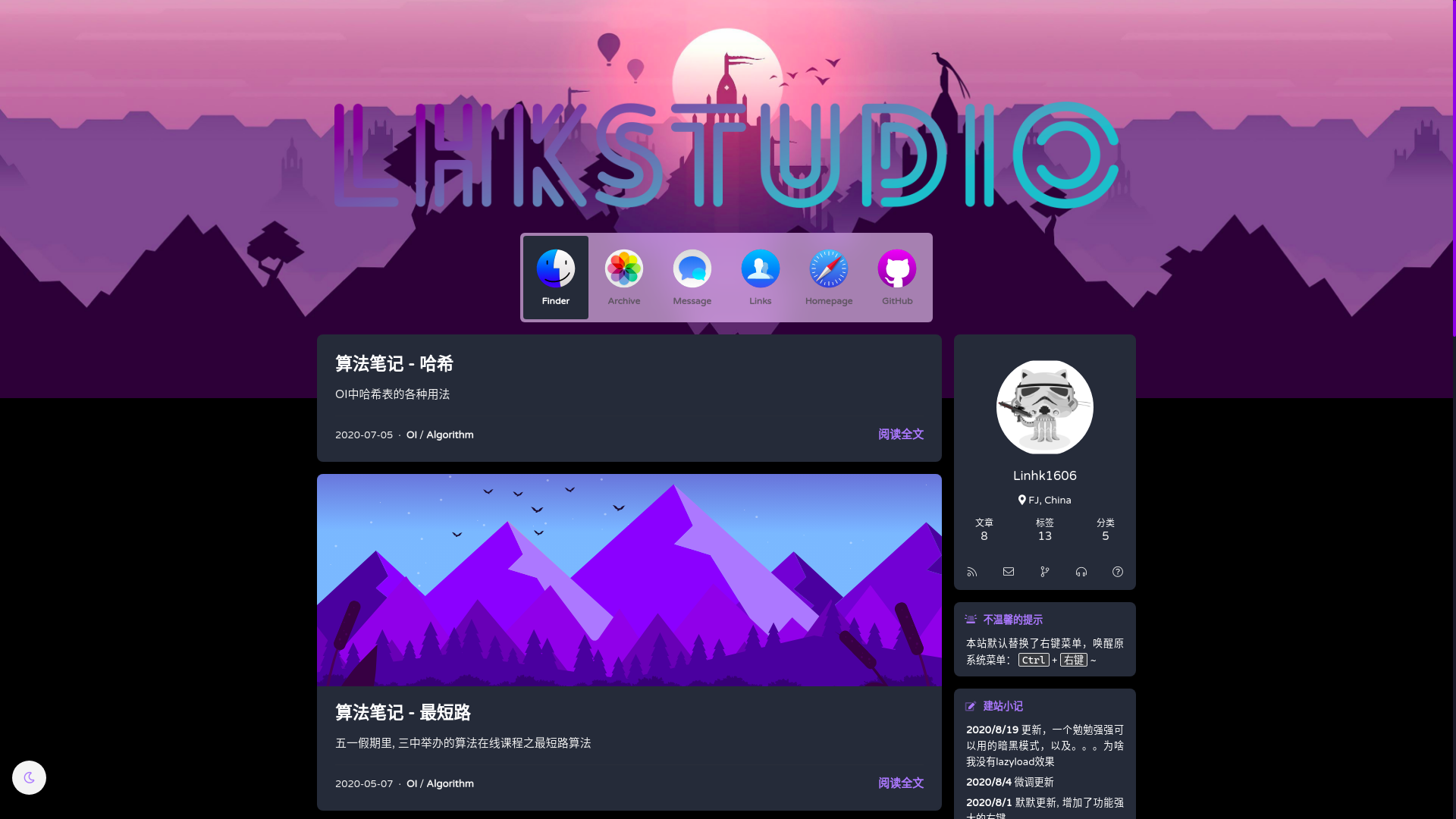
{% site Linhk1606, url=https://linhk1606.github.io, screenshot=https://i.loli.net/2020/08/21/3PmGLCKicnfow1x.png, avatar=https://i.loli.net/2020/02/09/PN7I5RJfFtA93r2.png, description=这是一段关于这个网站的描述文字 %}
{% endsitegroup %}

行内图片 inlineimage

1
{% inlineimage 图片链接, height=高度(可选) %}
  1. 高度:height=20px
1
2
3
这是 {% inlineimage https://cdn.jsdelivr.net/gh/volantis-x/cdn-emoji/aru-l/0000.gif %} 一段话。

这又是 {% inlineimage https://cdn.jsdelivr.net/gh/volantis-x/cdn-emoji/aru-l/5150.gif, height=40px %} 一段话。

这是 一段话。

这又是 一段话。

单张图片 image

1
{% image 链接, width=宽度(可选), height=高度(可选), alt=描述(可选), bg=占位颜色(可选) %}
  1. 图片宽度高度:width=300px, height=32px
  2. 图片描述:alt=图片描述(butterfly需要在主题配置文件中开启图片描述)
  3. 占位背景色:bg=#f2f2f2

1.添加描述:

1
{% image https://cdn.jsdelivr.net/gh/volantis-x/cdn-wallpaper-minimalist/2020/025.jpg, alt=每天下课回宿舍的路,没有什么故事。 %}

2.指定宽度

1
{% image https://cdn.jsdelivr.net/gh/volantis-x/cdn-wallpaper-minimalist/2020/025.jpg, width=400px %}

3.指定宽度并添加描述:

1
{% image https://cdn.jsdelivr.net/gh/volantis-x/cdn-wallpaper-minimalist/2020/025.jpg, width=400px, alt=每天下课回宿舍的路,没有什么故事。 %}

4.设置占位背景色:

1
{% image https://cdn.jsdelivr.net/gh/volantis-x/cdn-wallpaper-minimalist/2020/025.jpg, width=400px, bg=#1D0C04, alt=优化不同宽度浏览的观感 %}

1.添加描述:

每天下课回宿舍的路,没有什么故事。
每天下课回宿舍的路,没有什么故事。

2.指定宽度

3.指定宽度并添加描述:

每天下课回宿舍的路,没有什么故事。
每天下课回宿舍的路,没有什么故事。

4.设置占位背景色:

优化不同宽度浏览的观感
优化不同宽度浏览的观感

音频 audio

1
{% audio 音频链接 %}
1
{% audio https://github.com/volantis-x/volantis-docs/releases/download/assets/Lumia1020.mp3 %}

视频 video

1
{% video 视频链接 %}
  1. 对齐方向:left, center, right
  2. 列数:逗号后面直接写列数,支持 1 ~ 4 列。

1.100%宽度

1
{% video https://github.com/volantis-x/volantis-docs/releases/download/assets/IMG_0341.mov %}

2.50%宽度

1
2
3
4
5
6
{% videos, 2 %}
{% video https://github.com/volantis-x/volantis-docs/releases/download/assets/IMG_0341.mov %}
{% endvideos %}

3.25%宽度

1
2
3
4
5
6
7
8
9
10
{% videos, 4 %}
{% video https://github.com/volantis-x/volantis-docs/releases/download/assets/IMG_0341.mov %}
{% endvideos %}

1.100%宽度

2.50%宽度

3.25%宽度